FOR SCHOOLS · AVAILABLE NOW

A live platform for the work of a school.

The HIS Pods LMS and SIS are live for school onboarding. See the current product in a guided demo with the team.

LMS live SIS live
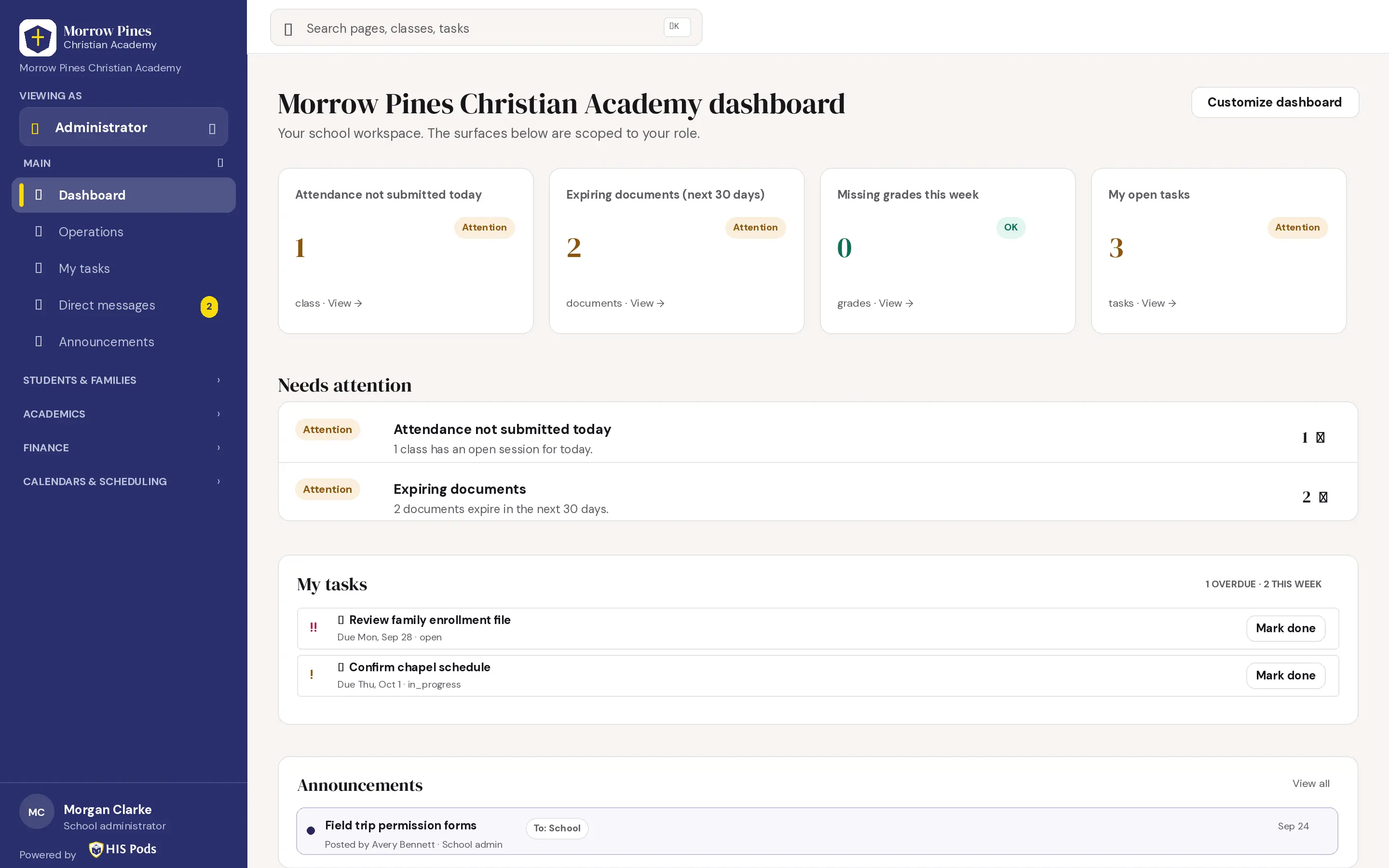
Administrator dashboard with sample school data
Live HIS Pods school platform · sample data shown
THE LIVE SCHOOL PLATFORM

See the work on screen.

Explore classroom, student record, finance, communication and calendar workflows in the HIS Pods school platform.

LMS · TEACHER ATTENDANCE

Take attendance for a class.

Mark each student’s status, then save or close the session.
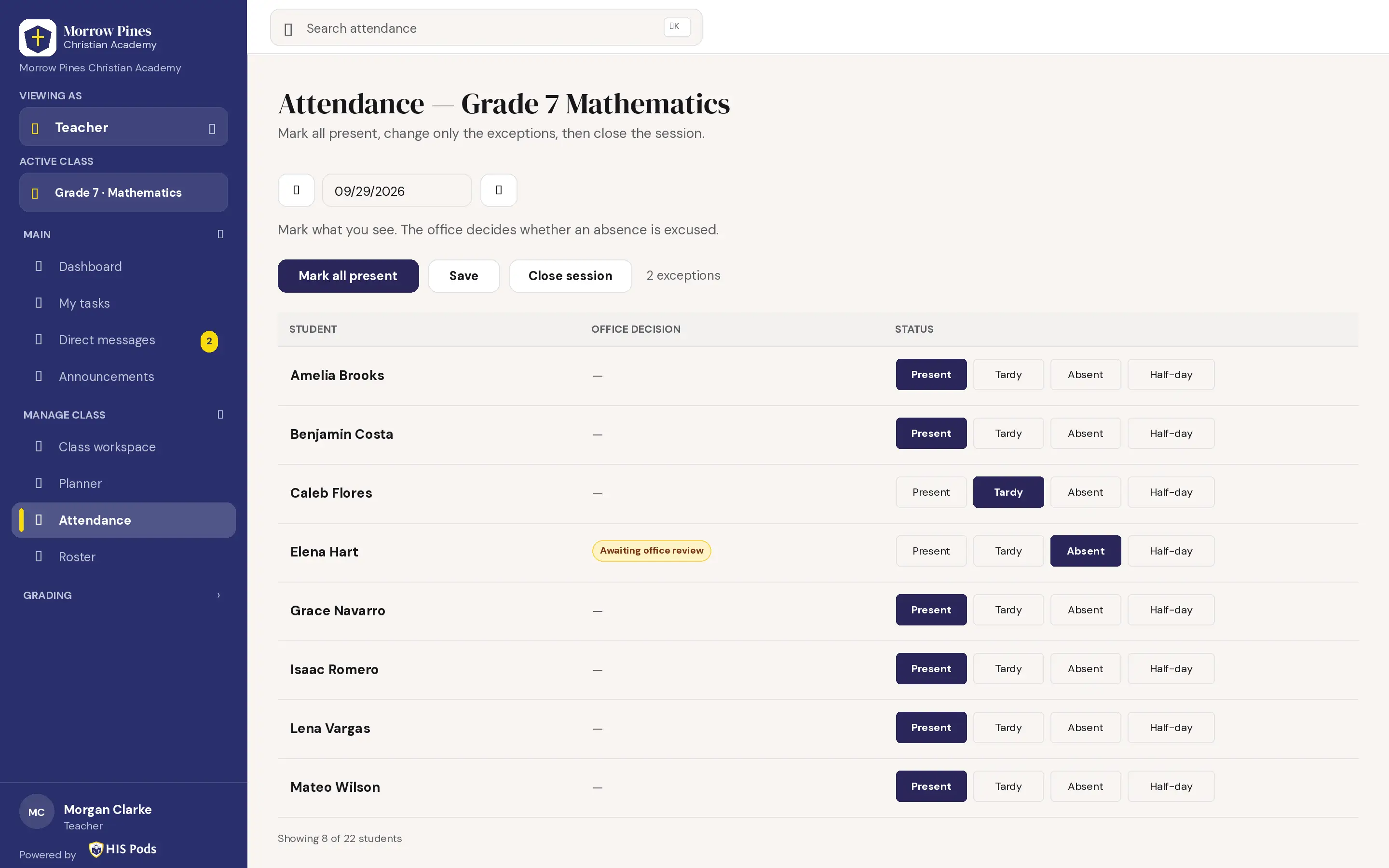
Teacher roll call for Grade 7 Mathematics
Live HIS Pods school platform · sample data shown
LMS · CLASS GRADEBOOK

Review grades in one class.

See assignment scores, category totals, and class results.
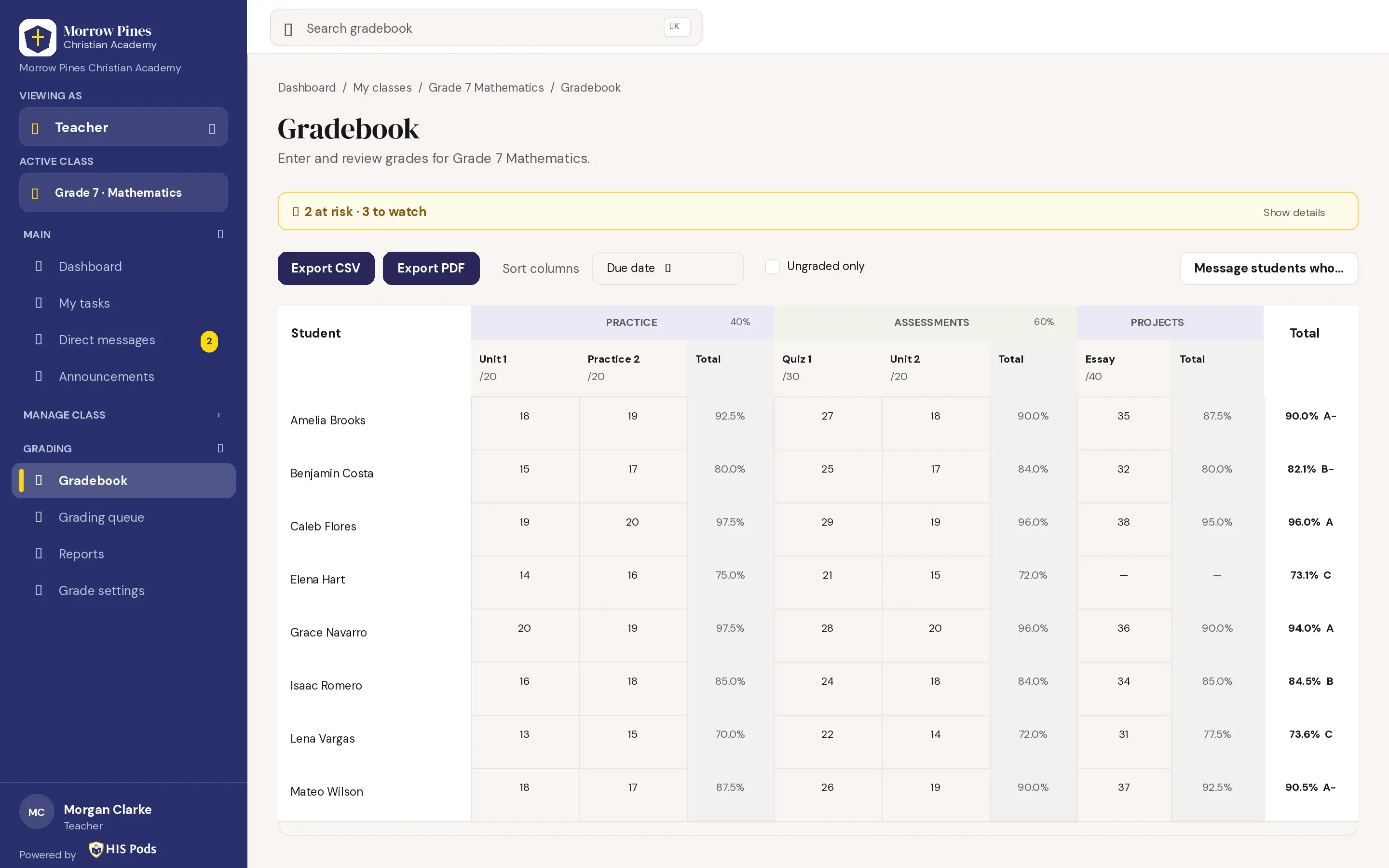
Teacher class gradebook
Live HIS Pods school platform · sample data shown
SIS · STUDENT RECORD

Open a student profile.

View academic and family record fields in one place.
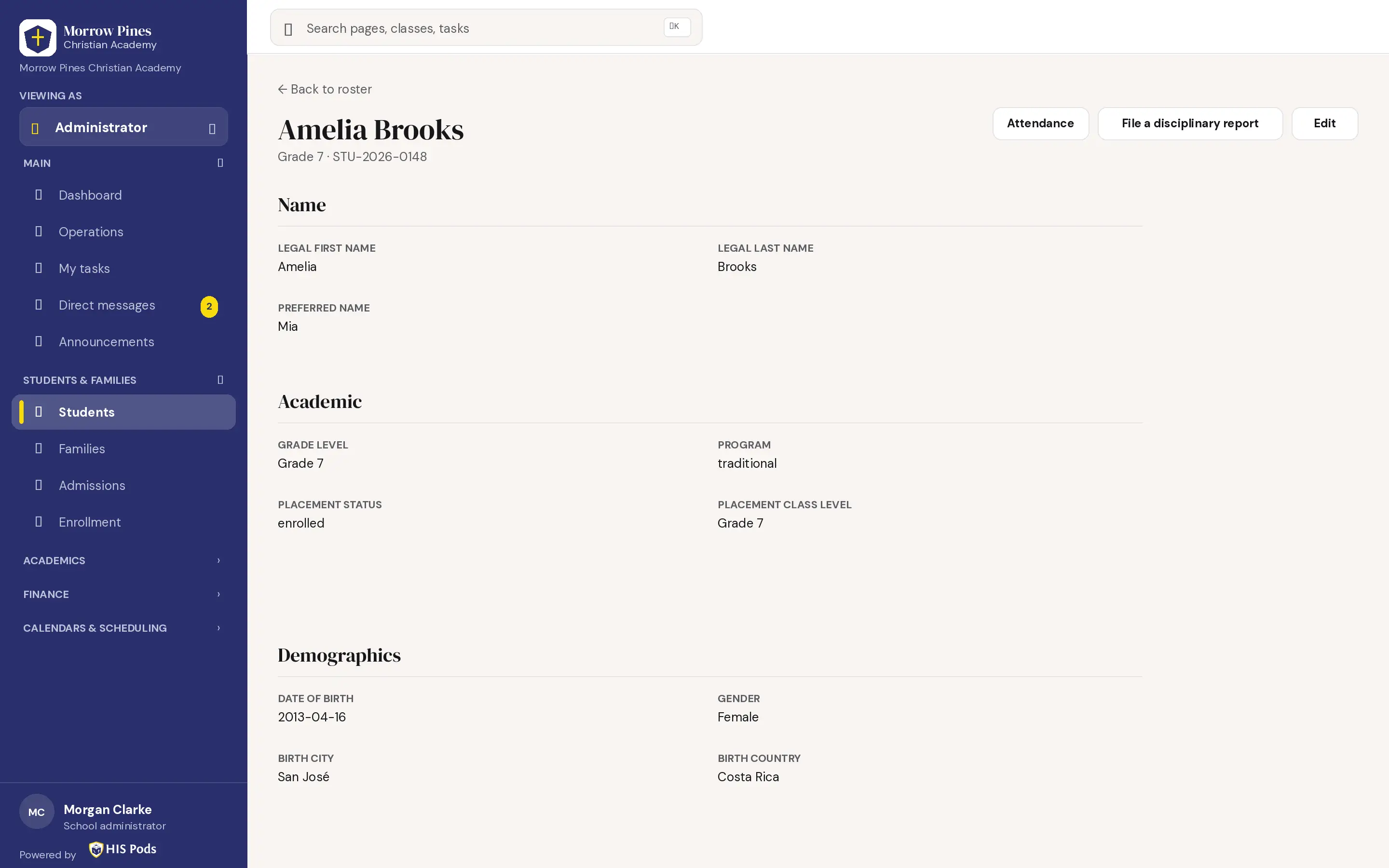
Student profile with sample data
Live HIS Pods school platform · sample data shown
SIS · FAMILY ACCOUNT

Review a family balance.

See invoices, payments, and the live balance.
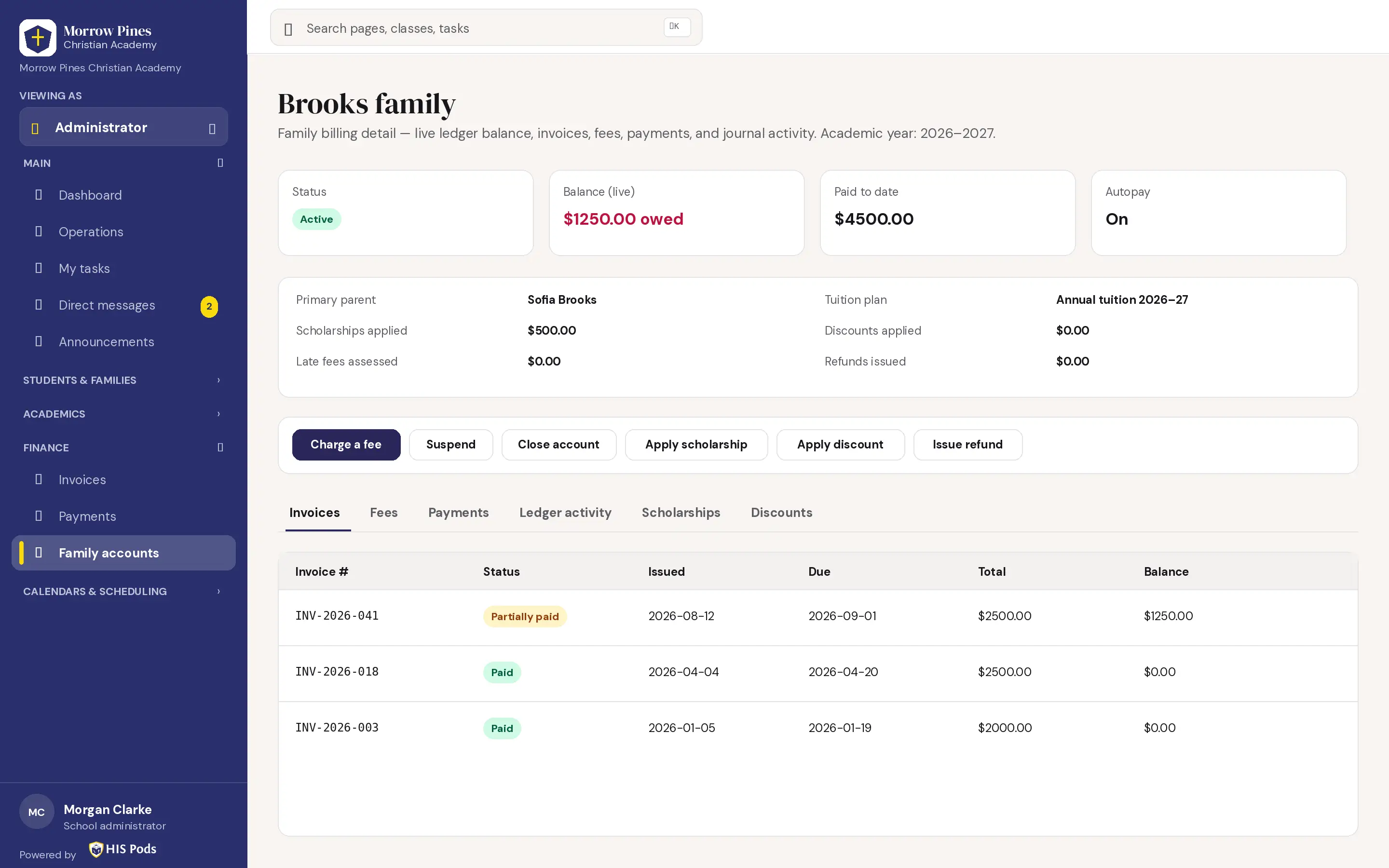
Family finance account with sample data
Live HIS Pods school platform · sample data shown
ALSO IN THE PLATFORM

Communication and school events.

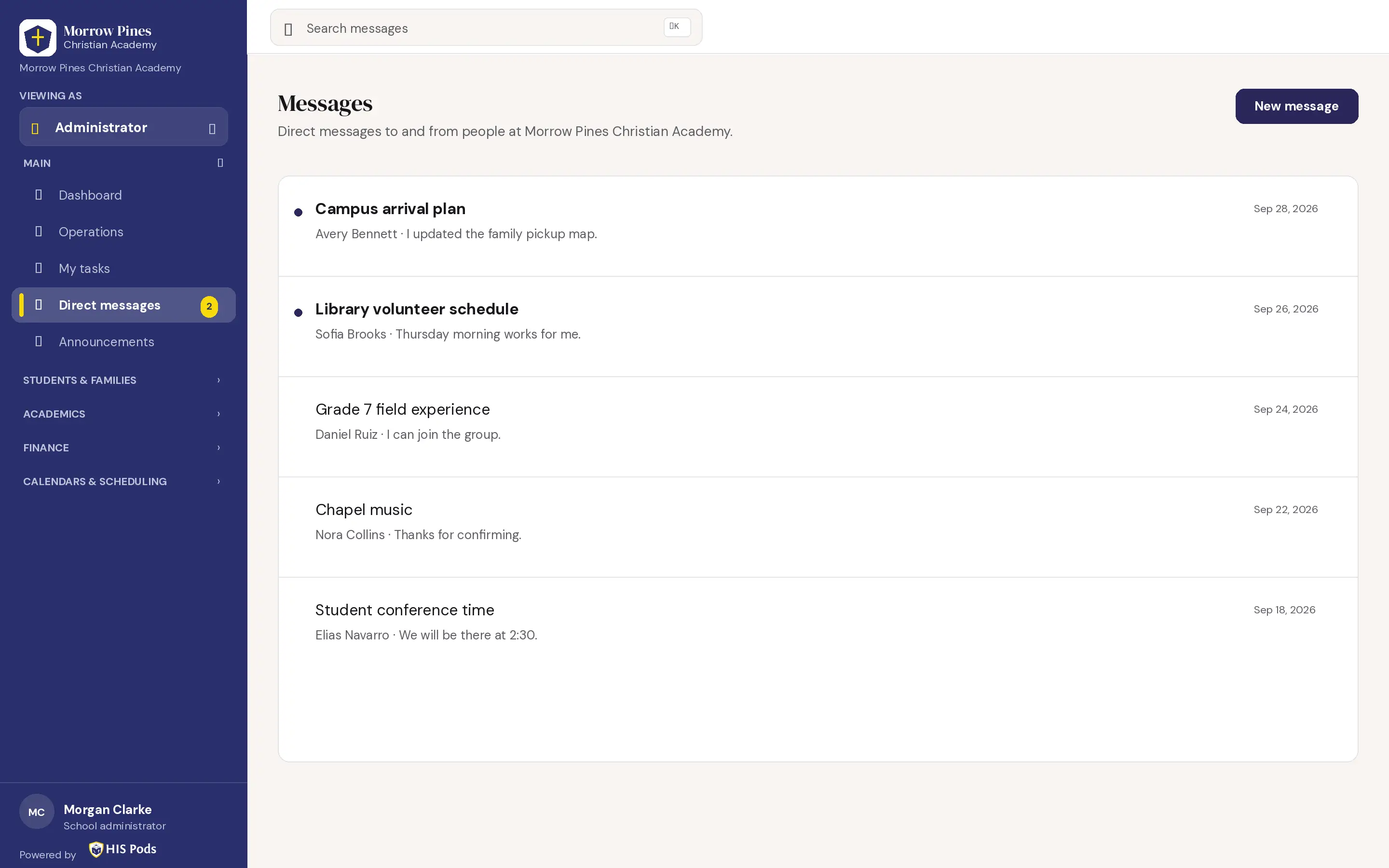
Direct messages inbox
Live HIS Pods school platform · sample data shown

Direct messages

Read and begin conversations with people at the school.
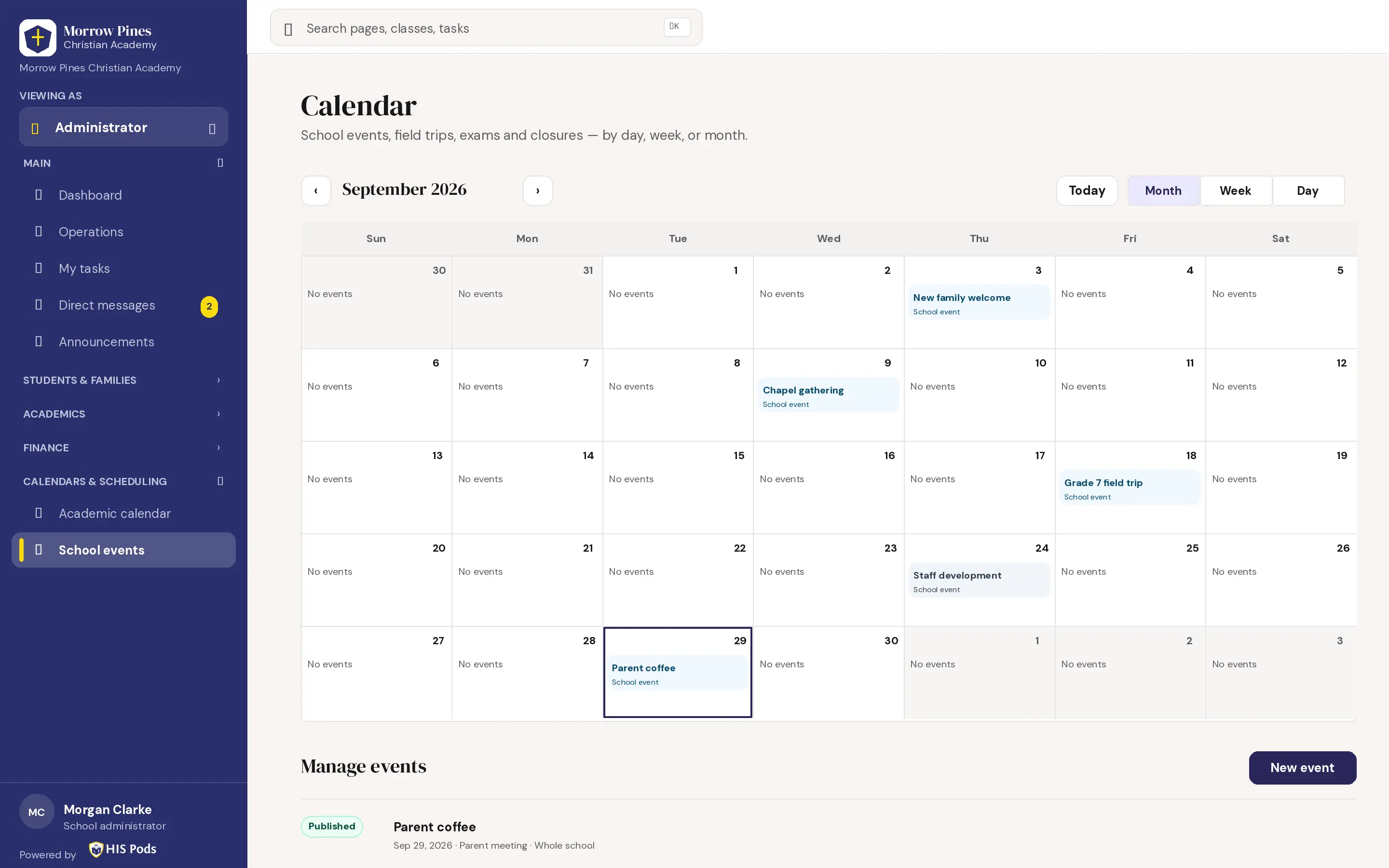
School events calendar
Live HIS Pods school platform · sample data shown

School events

See events by month and manage the school event list.

Students at HIS school
Built for schools serving students
TECHNOLOGY WITH A HUMAN PURPOSE

More clarity for school teams.

The live LMS and SIS help school teams manage learning and student information. The HIS Pods-authored curriculum and student learning app are separate work in development.

Talk with our team
PROPOSED ONBOARDING FLOW

A clear path from conversation to launch.

A path for teams to discuss, configure and prepare for launch.

  1. Step 1: Meet

    Discuss your school and goals.

  2. Step 2: Configure

    Set up the school environment.

  3. Step 3: Import

    Bring in approved student and staff data.

  4. Step 4: Train

    Prepare administrators and teachers.

  5. Step 5: Go live

    Launch with the team’s support.

READY FOR SCHOOLS

See the live LMS + SIS with your own team.

Tell us about your school, and we'll arrange a product conversation.